



Video to text: transcribe any video file
You have a video file and you want what is said in it. INDXR lets you upload the file and gives you the text back: punctuated, split by speaker, and timestamped, so you can read it, search it, quote from it, or turn it into subtitles. It costs one credit per minute of video, and a free account includes 50 credits so you can run a real file through it before spending anything.
MP4, MOV, MKV, AVI and more
A video file is transcribed the same way an audio file is: the audio track is taken out of it for you, and the picture is discarded. You do not convert anything first. It works with fifteen formats in all, audio and video together.
| Video formats | MP4, MPEG, WEBM, MOV, FLV, AVI, MKV |
| Audio formats | MP3, MPGA, M4A, AAC, WAV, OGG, OPUS, FLAC |
| Maximum file size | 500MB |
| Maximum length | 10 hours per file |
| Languages | 99, detected automatically |
MOV is what an iPhone records. MKV is what most downloads arrive as. Both work, along with everything else in that list, and you do not tell us which one you have. For what each format is and where it comes from, see Supported formats.
What you get back
Three things come out of one transcription, and which one you want depends on why you had the video open.
The text. Punctuated, so it reads as sentences rather than one long block; separated by speaker, so you can tell who said what; and timestamped, so you can jump back to the moment something was said. You can export it as plain text, with or without timestamps, or as Markdown.
The subtitles. SRT and VTT, rebuilt to broadcast conventions instead of the raw caption fragments most tools hand back. Lines are held to 42 characters across at most two lines, cues break on sentence boundaries rather than mid-clause, and the speaker names carry through.
The export for machines. A chunked JSON with metadata and timestamps, shaped for a vector database, so a video can become something you query in natural language rather than scrub through.
The first two cost nothing on top of the transcription. The third, the RAG export, costs 1 credit per ten minutes of video.
A real example
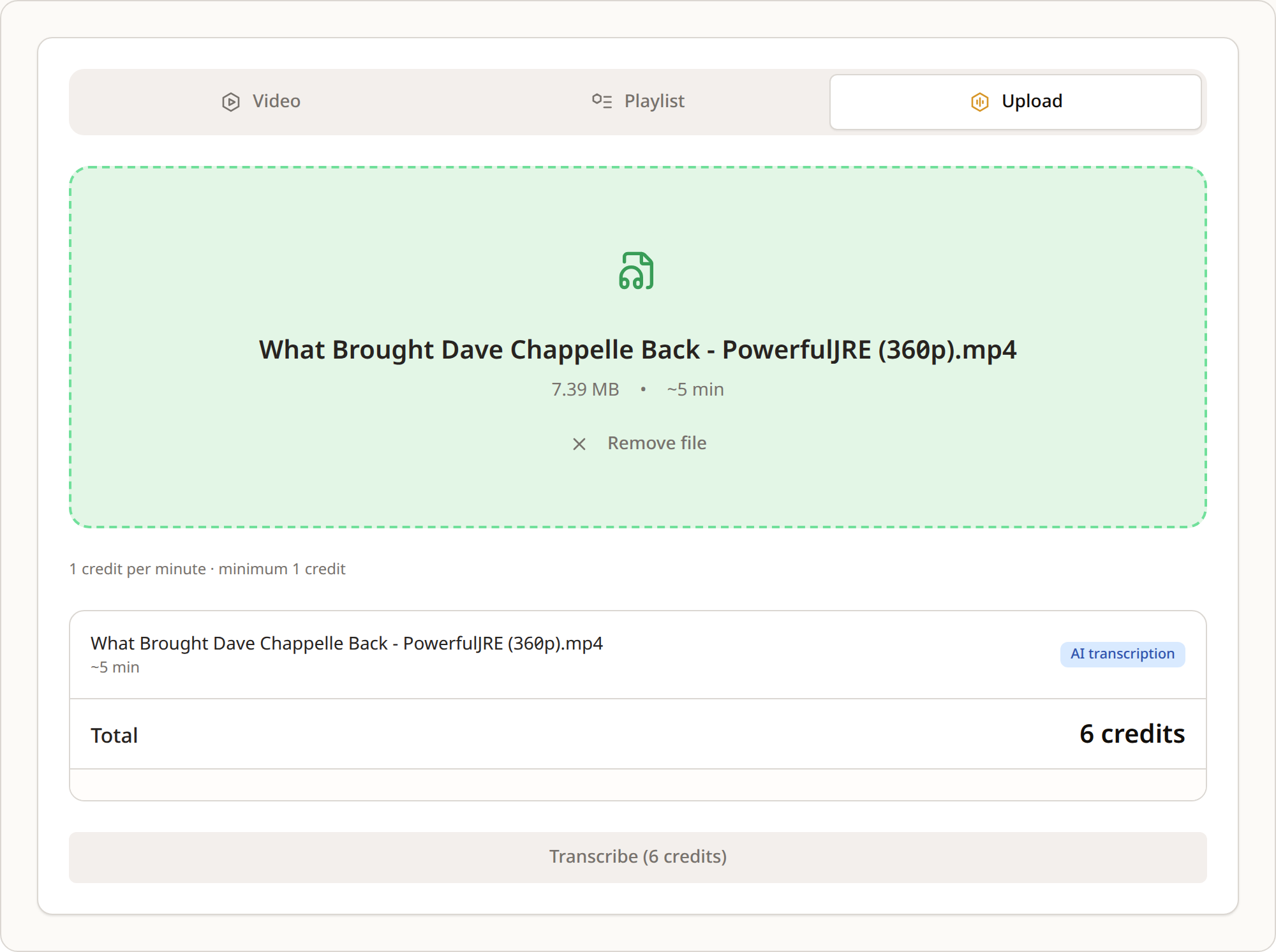
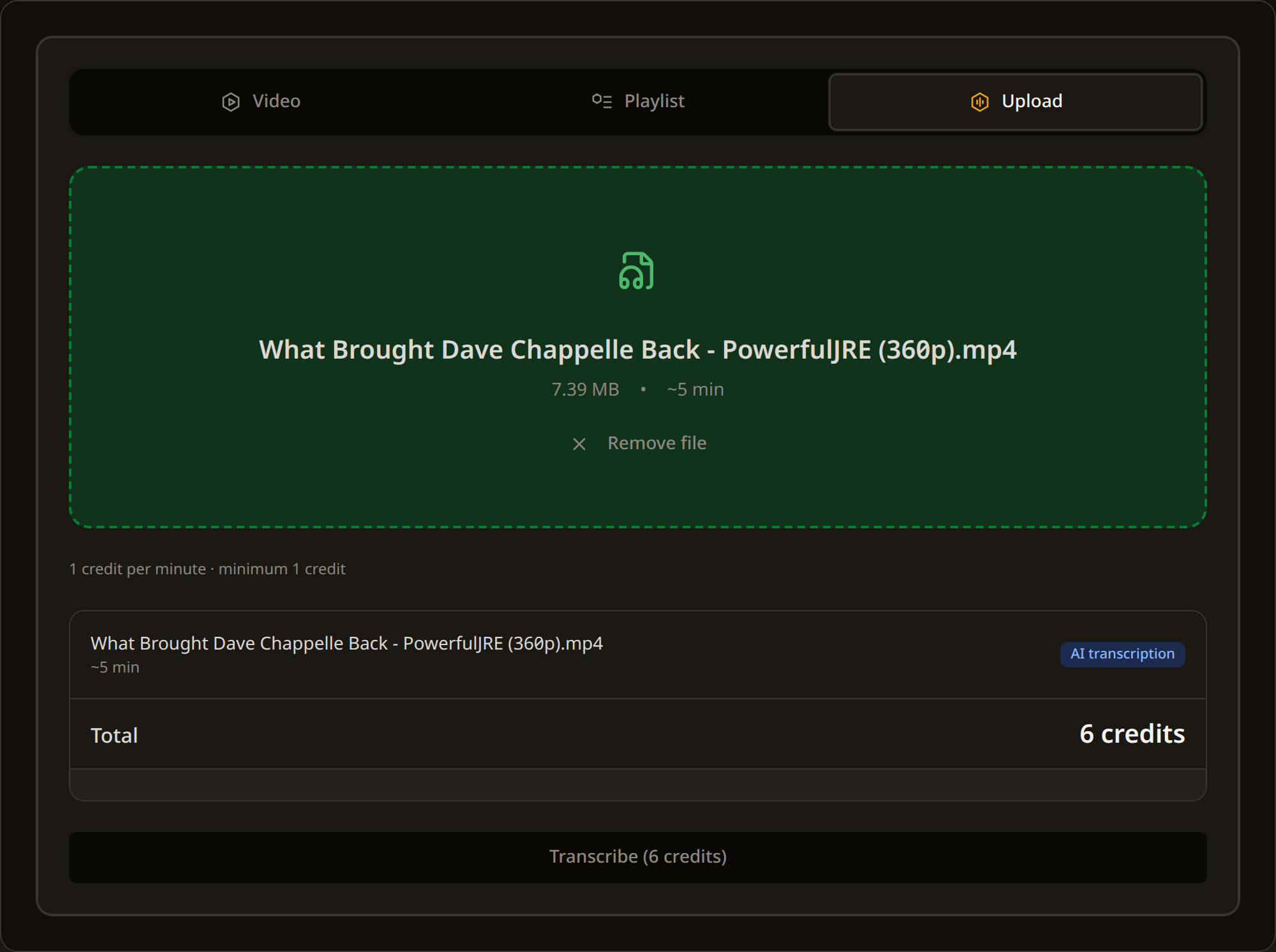
Here is a real one. A five-minute clip from a podcast interview, uploaded as a 7.4 MB MP4. It cost six credits, came back with two speakers detected and labelled, split into 74 timed passages, ready in under half a minute, and the model reported 96.5 per cent confidence.
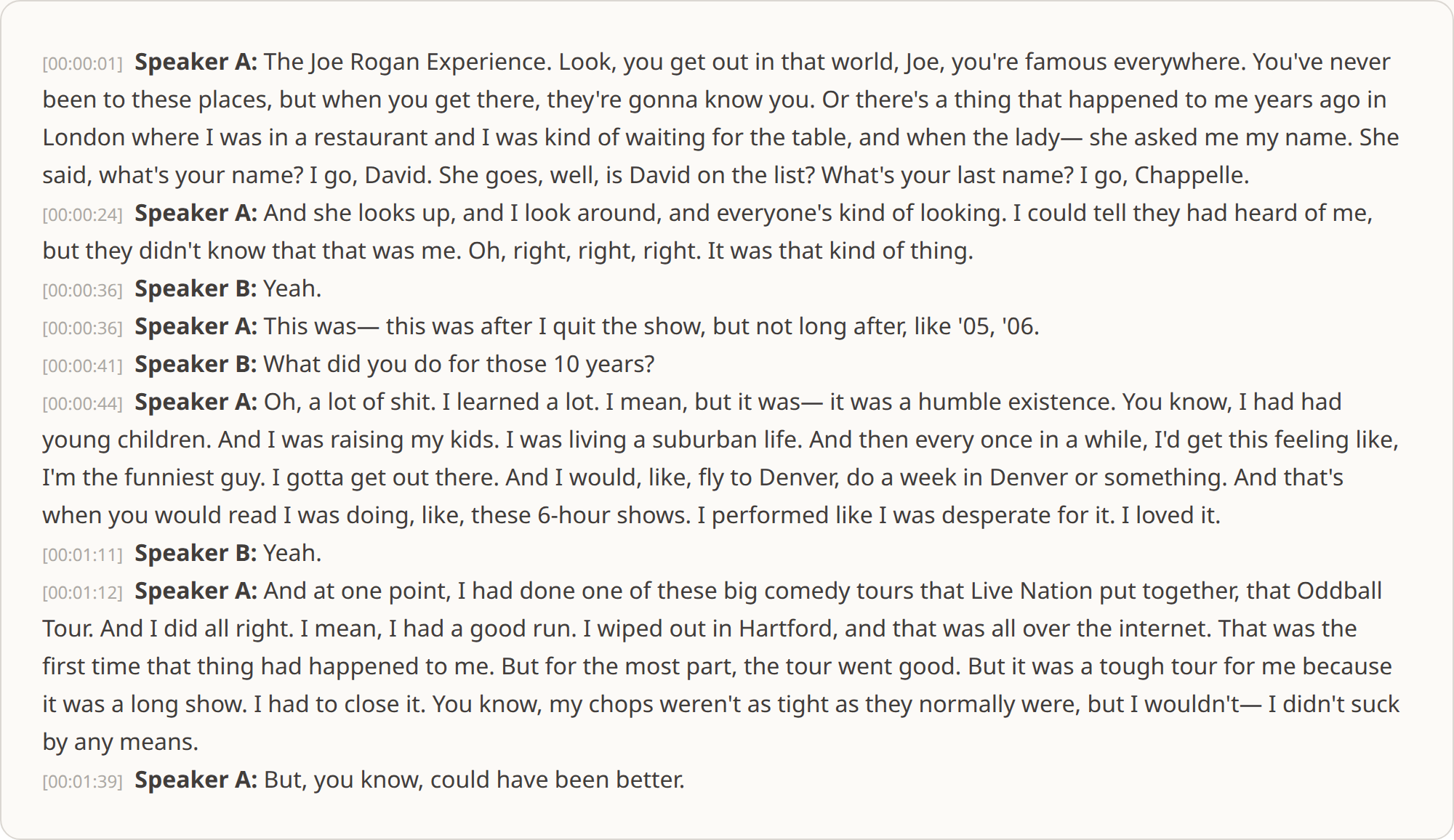
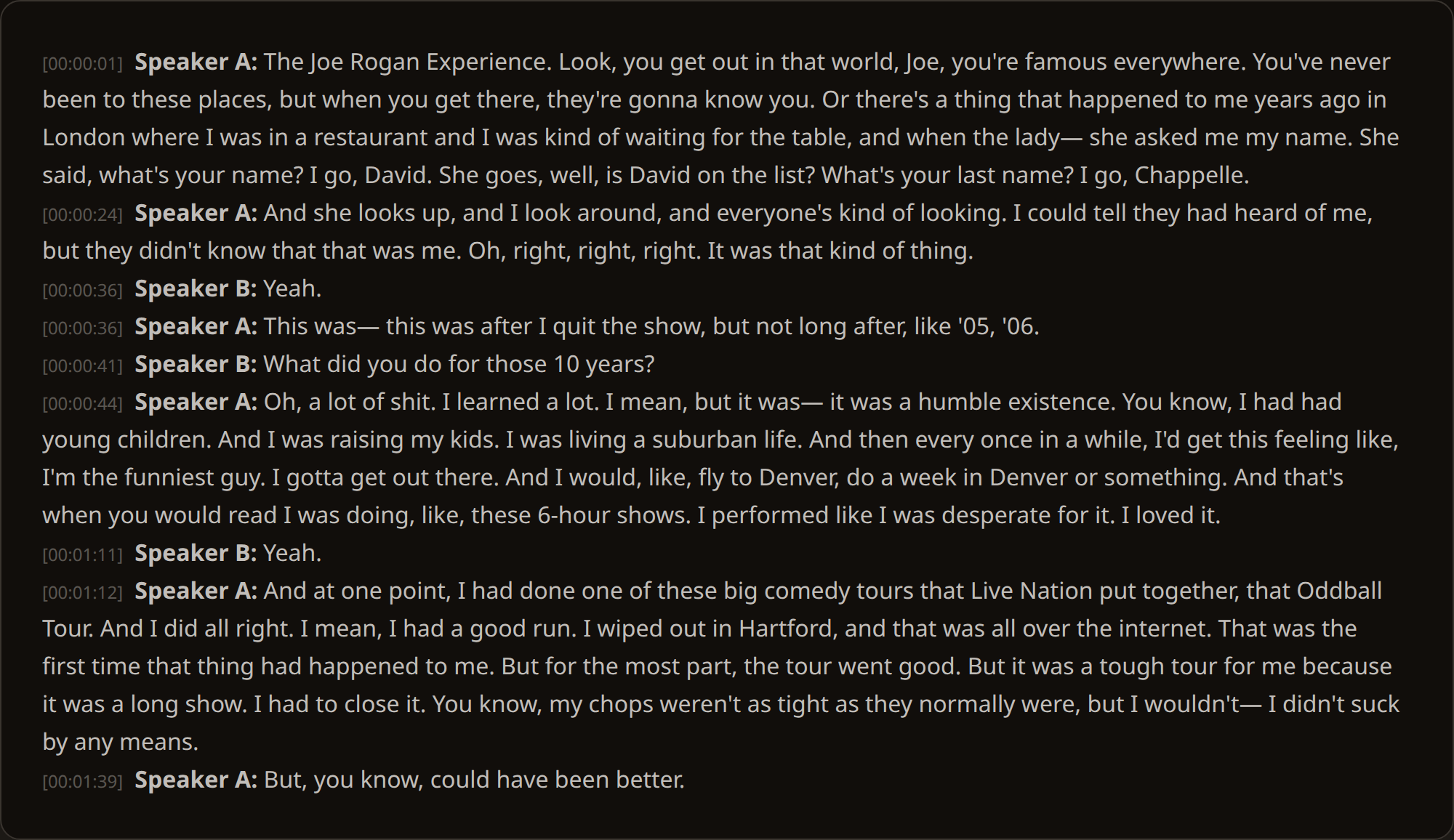
The plain text reads back like this:
Speaker A: The Joe Rogan Experience. Look, you get out in that world, Joe, you're famous everywhere. You've never been to these places, but when you get there, they're gonna know you.
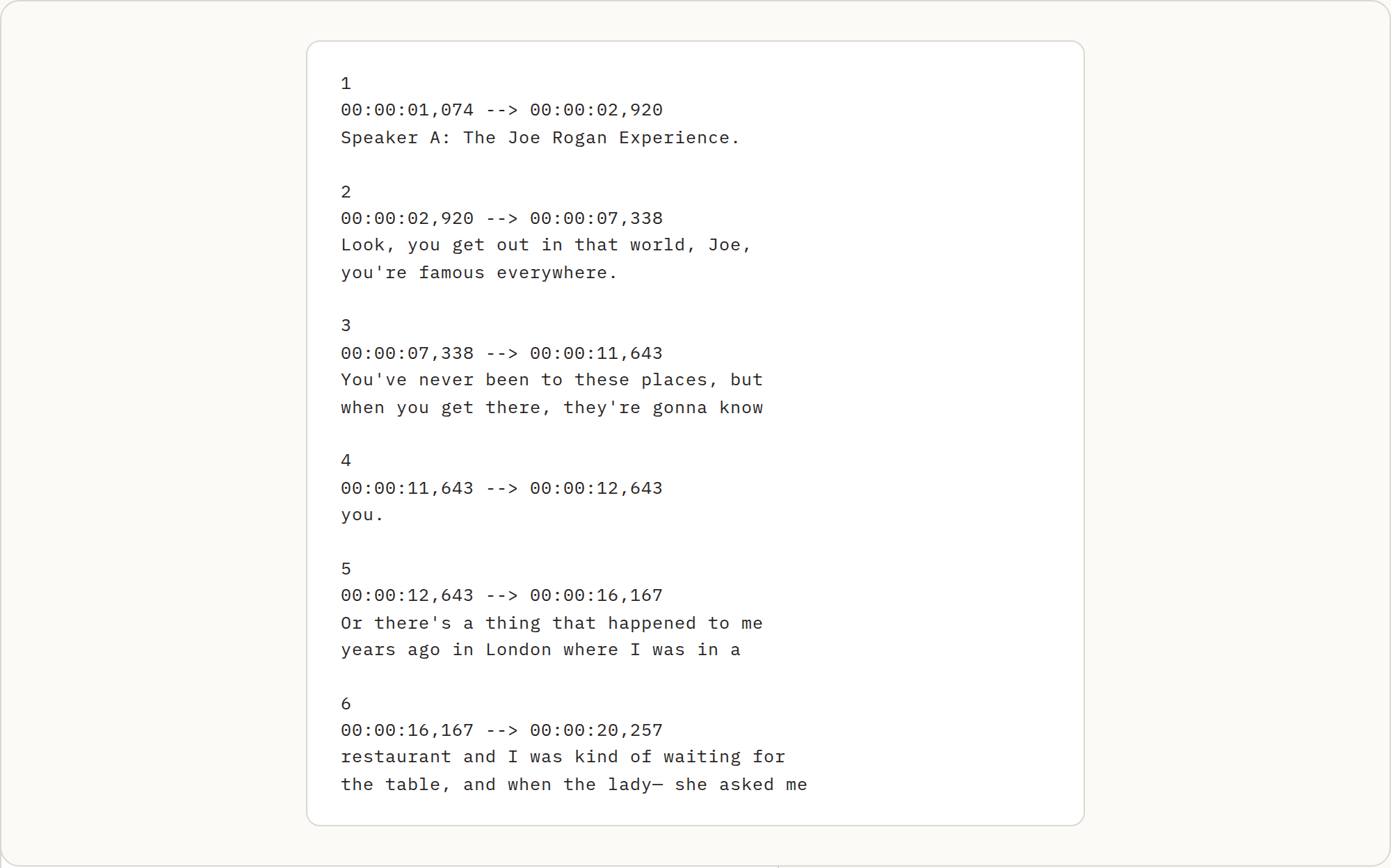
Exported as subtitles, the same passage looks like this:
2
00:00:02,920 --> 00:00:07,338
Look, you get out in that world, Joe,
you're famous everywhere.
Two lines, neither over 42 characters, cut where the sentence pauses. That is the standard broadcast subtitling works to, and it is the difference between subtitles you can ship and subtitles you have to fix.
How it works
You upload the file. A free account is needed and takes a moment, no card required, with the 50 credits included. Drag the file into the Upload tab, and INDXR reads its length and shows the exact cost before anything starts.


It transcribes while you wait. A five-minute clip is ready well under a minute, an hour of video is usually ready within a few minutes, and two hours within about a quarter of an hour. It runs on the server, so closing the tab or losing your connection does not cost you the job. Everything is processed on European infrastructure, and the uploaded file is deleted once transcription finishes, leaving only the text in your library.
You read, edit and export. The transcript opens in your library, where you can correct it, search it, rename the speakers, summarise it and export it in seven formats. Renaming a speaker works once and changes every place the label appears, in the transcript and in every export you make afterwards.
When the picture matters more than the words
Some things a transcript cannot do, and it is worth being clear about them.
It does not describe what happens on screen. For a screen recording you get what was said about the screen, not an account of what was shown on it.
It does not read text that appears in the picture. Slides, burned-in captions and on-screen names are not picked up, because only the audio is processed.
Where people talk over each other the speaker boundaries get less precise, and a word can end up attached to the wrong speaker. On clean turn-taking the labelling is reliable; through a stretch of crosstalk, expect to fix a few lines.
How accurate it is
For clear English speech this is close to the current technical ceiling. AssemblyAI, whose model runs behind this, places English in its highest accuracy band, below ten per cent word error rate, and on independent benchmarks Universal-3.5 Pro sits in the leading group. The measured example above, where the model reported 96.5 per cent, is typical of well-recorded conversation.
Accuracy falls where you would expect: strong accents, background noise, technical vocabulary, unfamiliar names. It handles these better than the automatic captions video platforms produce, but no engine handles them perfectly, and on difficult audio expect to correct a few names.
For languages other than English, AssemblyAI publishes a per-language accuracy table worth checking before committing to a long video. We would rather point you there than quote a figure for a language we have not measured.
What it costs
One credit per minute of video, rounded up, based on the length detected after upload rather than the file size. Prices below are on the Plus package, which is €25 for 1,000 credits.
| Video length | Credits | Cost at Plus pricing |
|---|---|---|
| 5 minutes | 5 credits | €0.13 |
| 30 minutes | 30 credits | €0.75 |
| 1 hour | 60 credits | €1.50 |
| 2 hours | 120 credits | €3.00 |
There is no subscription, and credits never expire. If you have one video this year, you pay for one video this year; credits bought in one month are still there the next, and no charge arrives in a month you did not use the site.
Try it on your own file
The only way to judge a transcription service is to run something through it that you care about. A free account includes 50 credits, enough for 50 minutes of video, with no subscription and no card. If the result is not good enough, you have lost nothing.
Frequently Asked Questions
Can I convert an MP4 to text?
Do I need to convert MKV or MOV before uploading?
Will I get subtitles I can put straight on the video?
What happens to my video file after it is transcribed?
How long can a video be?
What happens if the transcription fails?
Sources
See also
- SRT generatorwhen what you want from the video is just the subtitle file
- Audio file transcriptionthe same for a recording you want the words from, not a video
- YouTube video summarizeronce you have the transcript, turn it into chapter notes
- Transcript export formatsevery format a video's text exports as