

An interview is only as useful as your ability to quote it accurately. A transcript gets you most of the way: you can read the conversation in minutes, mark what matters and pull lines into a draft. What it cannot do on its own is guarantee that a line is word for word what was said. For that you need the recording, and a quick way back to the right second of it.
This article is for journalists, non-fiction writers and researchers who interview people. It covers transcribing the recording, labelling the speakers, checking each quote against the moment it was said, keeping the source, finding every mention across a set of interviews, and drafting with Claude or ChatGPT without losing track of what is a real quote.
Upload the recording
Upload the file as it came off your phone or recorder. INDXR accepts fifteen audio and video formats, including the M4A an iPhone voice memo produces, up to 500MB and 10 hours per file. You do not choose the language; it is detected from the audio. An hour usually takes a few minutes, and the job runs on the server, so you can close the tab.
It costs 1 credit per minute of audio, and the exact cost is shown before you start. A one-hour interview is 60 credits, €1.50 at Plus pricing. Formats and limits are in the uploads guide.
Rename the speakers once
The transcript comes back punctuated and split by speaker, as Speaker A, Speaker B and so on. Rename a label once, to the interviewee's name or to “Me”, and it changes everywhere: in the transcript and in every export you make afterwards. The original label is always recoverable.
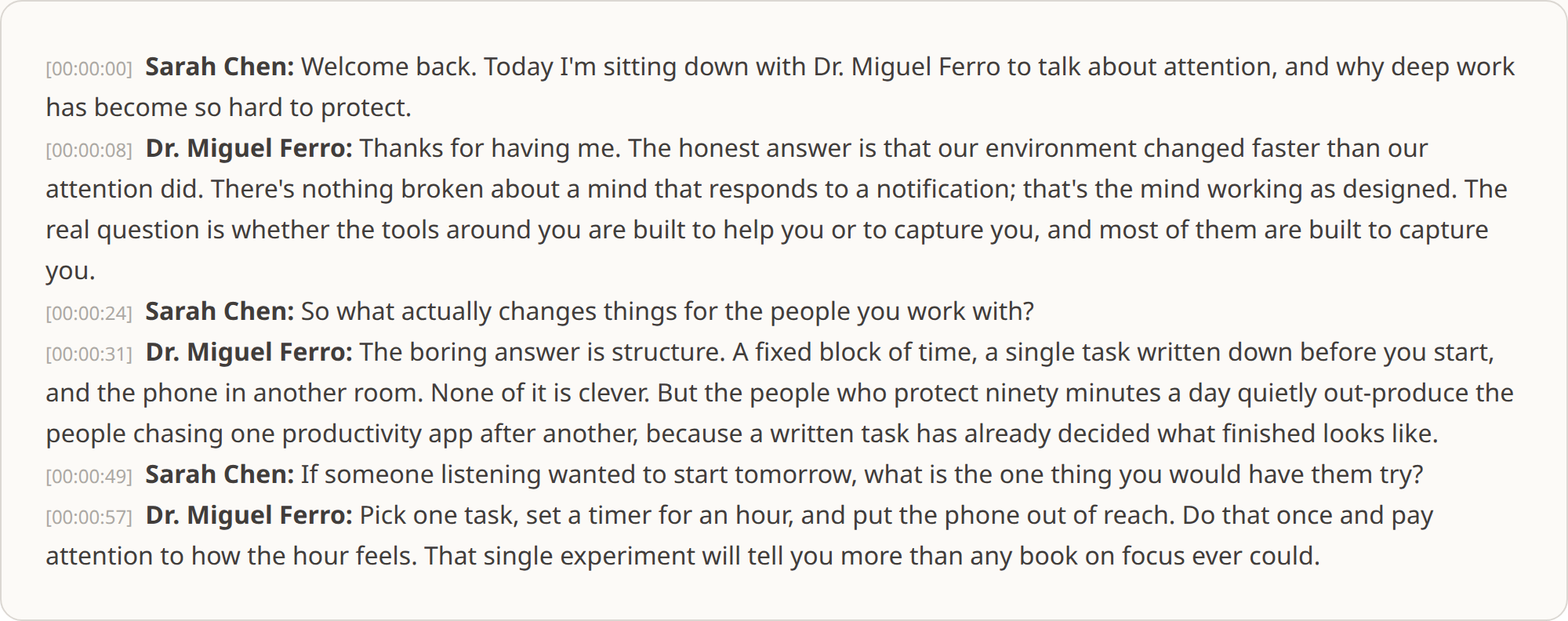
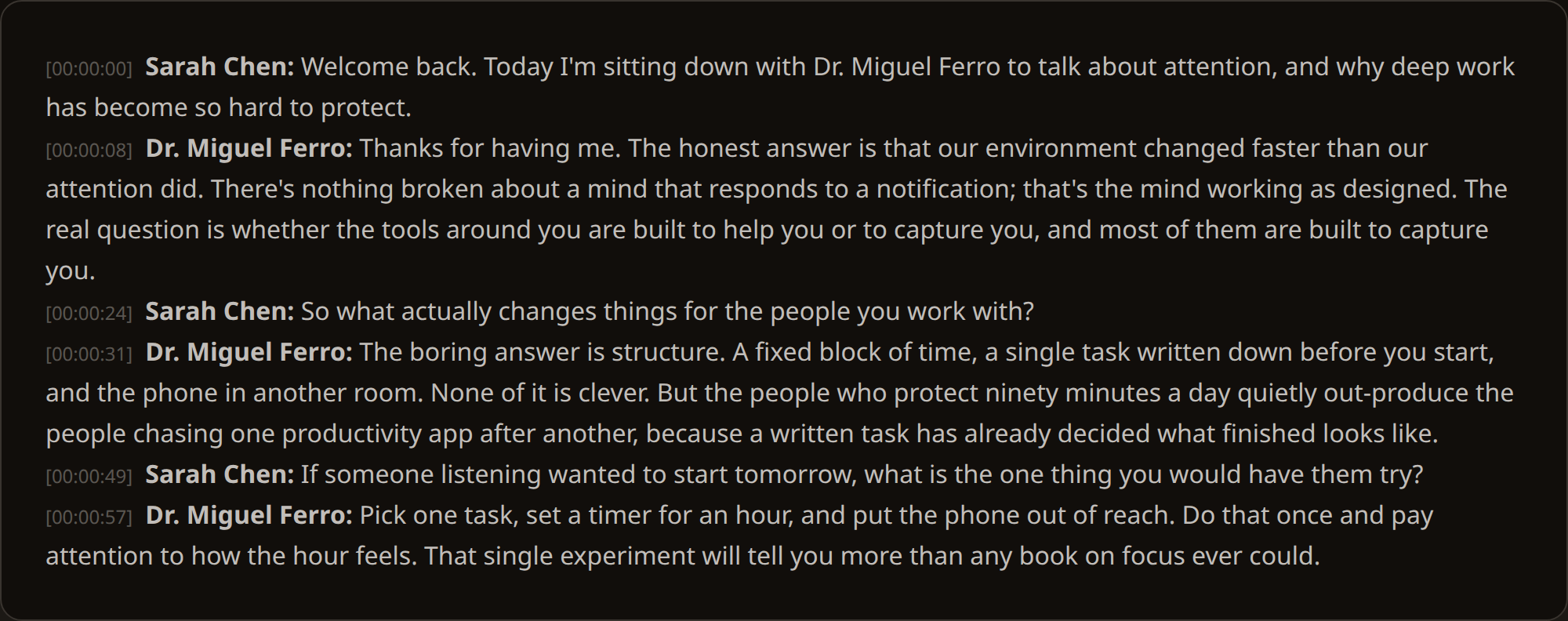
Where two people talk over each other, the speaker boundary gets less precise and a word can land on the wrong person. That is one more reason to check quotes against the audio.
Check every quote against the moment
Speech recognition is very good on clear audio and still makes mistakes on names, jargon, accents and crosstalk. A wrong word inside quotation marks is a correction you have to run. So treat the transcript as a map of the recording, not a replacement for it.
Each paragraph carries the time it starts. When a line goes into your draft, note that time next to it. Before you file, play each quoted line back from its timestamp in your copy of the recording. INDXR deletes its copy of the audio after transcription, so keep your original file. The timestamps match it.
If you correct the transcript as you go, the corrections are stored next to the original version rather than over it. You can always see what the machine heard and what you changed.
Keep the source with the text
Every transcript in your library keeps where it came from: its title, its length, its language and when you added it. It also gives a ready citation. For an uploaded recording that looks like Title [Audio recording]. (n.d.)., because a private recording has no publisher or upload date for INDXR to read. Add the interviewee and the date of the interview yourself before you use it in a reference list.
Group the interviews for one story or one book chapter into a collection. Six months later, when a fact-checker asks where a line came from, the interview is one search away.
Find every mention across interviews
Library search looks inside the transcript text, not just the titles. Search a name, a place or a phrase, and you see every interview where it came up, with the passage and its timestamp. Filter to one collection to keep the search to one story. That is the step that is hardest to do from memory: the third interview where someone mentioned the same meeting in passing.
Draft with Claude or ChatGPT, with quotes you can check
Connect your library to Claude or ChatGPT once, read-only and free, and the assistant can search your interviews and read them in blocks with timestamps and speaker names. You can ask things like:
“In my Harbour Project interviews, what did each person say about the 2019 closure? Quote them with speaker name and timestamp. Do not paraphrase inside quotation marks.”
The assistant takes the quotes from your transcripts, next to whatever background it already knows, and points to the minute for each quote. That makes a first draft or a briefing much faster. It does not make the assistant the authority on what was said: you are. Every quote it hands you still gets the same check against the recording. The setup is in the Claude and ChatGPT guide, and the broader approach in using Claude or ChatGPT with your own sources.
Where your recording goes
Interviews can be sensitive, so here is the whole path. The file goes straight to the transcription server and is transcribed inside the EU. As soon as the transcript is done, the uploaded file is deleted on our side, and only the text stays in your library. Our provider, AssemblyAI, does not use your audio to train its models, and its own retention is set to one day, its shortest setting. If you connect Claude or ChatGPT, that provider sees only the passages it reads to answer you, under its own terms. Details are in the privacy policy.
What it costs
| Interview length | Credits | Cost at Plus pricing |
|---|---|---|
| 30 minutes | 30 | €0.75 |
| 60 minutes | 60 | €1.50 |
| 90 minutes | 90 | €2.25 |
There is no subscription and credits never expire, which suits interview work: a quiet month costs nothing, and a week of ten interviews costs what ten interviews cost. Asking Claude or ChatGPT about your library costs no credits. A free account includes 10 credits to try it on a short recording.